Time tracking softwareDon't press start.Just move the task.
Wrkbase is time tracking software that runs off the task itself. Move a card to In progress and the clock starts. No screenshots, no start button, for remote teams and office teams alike.
- On every plan, including Free
- No card needed
- Working the same day
Tasks
Board
To do
2Prep September payroll review
Update onboarding docs
In progress
1Q4 hiring plan
In review
1Client onboarding deck
Completed
1Renew software licenses
A task waits in To do.
A chain of steps,replaced by one move.
The old way
- Open the timer app
- Pick a project
- Press start
- Forget to stop
- Fix the timesheet
- Submit it
The hours are only as good as everyone remembering to press a button twice.
With Wrkbase
Move the card to In progress
Timer running against that task. It stops when the card moves on.
One timer per person, tied to a real piece of work.
Start to finish,in plain steps.
- 1
Someone moves a task to In Progress, wherever they are
No check-in, no clocking on separately, no app to open first. The same drag-to-column action that already happens on the board is the only thing that starts the timer, whether that person is in an office or four time zones away.
- 2
The timer runs against that task, not a location
There's nothing to configure per person, per office, or per time zone. One running timer, tied to one task, is the entire mechanism, so a fully distributed team and a co-located one behave identically.
- 3
Pause, switch, or move it off
Pause the timer to help a teammate and resume it after. Moving the task off In Progress stops it, and so does logging out at the end of the day. A timer left running for 12 hours stops itself and says so.
- 4
Hours land on the task and in the reports
Each task shows actual time against its estimate, and the time report totals hours per person for any period. There's no separate remote-team monitoring dashboard.
Careful by design,not by policy.
Not surveillance software
No screenshots, no keystroke logging, no app or website tracking. Nothing runs in the background watching what's on someone's screen.
Can never drift from the board
Because the timer and the task status are the same event, there's no second system for the two to disagree with each other.
No "forgot to clock out" data
A task that never got moved off "In progress" is visible on the board itself, not a silent gap in a timesheet nobody noticed.
Lands in reports, not a spreadsheet
Logged time rolls into each task's actual hours and into time, employee, and department reports, with nothing to re-enter. It doesn't set pay (hourly pay uses attendance hours, not task time), and it doesn't feed the performance score: that's deliberately a pure task-completion rate, never weighted by hours.
Everything in Time tracking.The full list.
If it is not here, the product does not do it yet.
The timer4
- Starts when a task moves to In progress, stops when it leaves
- Pause and resume without changing the task
- One running timer per person
- Live timer on board cards and in the top bar
Safety nets4
- Stops when you log out
- Forgot the timer? Add the time to the task by hand
- Stops itself after 12 hours running, with a note saying why
- Warns instead of double-counting if the assignee is already timing another task
Hours and reports4
- Actual time per task, next to its estimate
- See who is timing what right now
- Time report: active hours per person for any date range
- Employee and department summaries, weekly and monthly digests, as PDF or Excel
One record,shared with the rest of Wrkbase.
One database behind every module, so these happen without an export, a sync, or a second tool.
Every role seeswhat it should.
Boss
Tracks their own time, sees everyone’s time and active timers, and exports time reports.
HR
Same as Boss for time: own tracking, everyone’s entries, time reports.
Manager
Tracks their own time, sees everyone’s entries and active timers, and exports time reports.
Employee
Tracks and sees their own time only.
Which plan
Every plan, including Free.
What it does not do.
Better to know now than after you have moved your team in.
Logged entries can’t be edited. Time added by hand is marked as such, and locks once that week’s timesheet is submitted.
No billable flag, hourly rates, or client invoicing from hours.
No timer without a task, and no screenshots, app or website tracking, or GPS.
Hours don’t change pay or the performance score.
Questions a remote team actually asks

Does this work for a remote or distributed team?
Yes, and it works the same way regardless: the timer is tied to a task's status, not a location or a badge reader, so a fully remote team and an in-office team use the exact same mechanism. There's no separate 'remote mode' or surveillance layer that switches on when someone isn't at a desk.
Can I start a timer without an active task?
No, and that's a real trade-off worth knowing. The timer is a byproduct of a task moving to In Progress, there's no freestanding start/stop button separate from a task. A tool like Toggl Track or Clockify is the better fit if ad-hoc, task-independent timing is what you actually need.
Does it track which apps or websites someone is using?
No. No screenshots, no keystroke logging, no app or website tracking of any kind. The only thing recorded is when a task moved to In Progress and when it moved off.
What happens if two devices in different time zones log time on the same task?
Every timestamp is stored in UTC and only converted for display, so there's one real answer for how long a task actually ran, regardless of which time zone the person moving it happened to be in. A distributed team never has to reconcile 'whose clock' a duration came from.
Can a manager see hours across the whole remote team in one place?
Yes. Each task shows its actual time next to its estimate, managers can see who is timing what right now, and the time report totals active hours per person for any date range, as a PDF or Excel file. It's the same data the team's own board shows, not a separate monitoring dashboard.
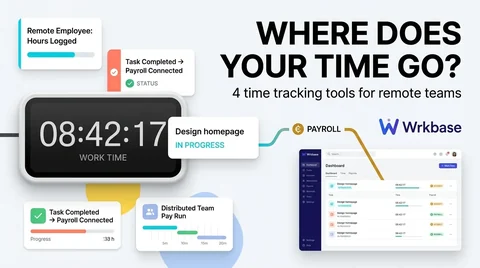
Time tracking that costs nobody a click.
- Free plan forever
- 14-day money-back guarantee
- Cancel anytime