AI agent for businessDon't click through menus.Just ask Wrkbase.
Wrkbase has an AI agent for business that works on your real team data. Say what you need. It shows the plan, waits for your yes, then does it.
- Included on Team
- Start free, upgrade later
- 14-day money-back guarantee
AI agent
Describe what you want done — nothing runs until you confirm it.
37 / 500
actions this month
What I can help with
Ask the AI agent in plain words.
A chain of steps,replaced by one move.
The old way
- Open Leave
- Find the request
- Approve it
- Open Tasks
- New task
- Assign it
- Set the due date
Every job is a trip through menus you have to remember.
With Wrkbase
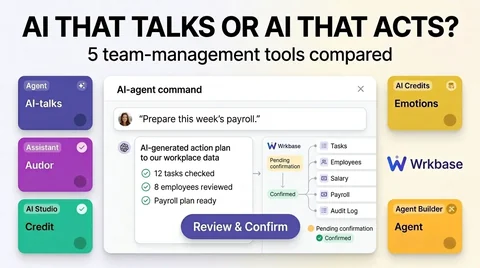
Approve all pending leave and give Maya a task to prep September payroll by Friday
3 actions drafted. Confirm and run?
Nothing runs until you confirm, and every action is checked against your permissions.
Start to finish,in plain steps.
- 1
Ask it in plain language, by typing, talking, or attaching a file
"Sarah's out next week, reassign her open tasks to whoever has capacity" is enough. No workflow to configure first, no automation rules to write. Dictate it instead of typing, or attach an image, PDF, or text file and it actually reads what's in it before responding.
- 2
It drafts a concrete plan against real data
Not a suggestion in the abstract: an actual plan naming specific tasks, specific people, and specific new assignees, built from the real task board and workload at that moment, not a generic template.
- 3
You see exactly what it's about to change
Every item in the plan is listed before anything happens, so approving isn't a leap of faith, it's confirming a plan you can already read in full.
- 4
It executes one step at a time, re-checked as it goes
Each action re-checks the same role-based permission a human doing it by hand would hit, at the moment it happens, not just once back at planning.
- 5
Every action lands in the same audit log
Nothing about what it changed is off the record: agent actions write to the exact same immutable audit trail as a person clicking through by hand, tagged by source.
Careful by design,not by policy.
Permissions, not just plans
The agent can only do what the requesting person could already do by hand. It never bypasses the same role-based checks a human action would hit.
Re-checked at execution, not just at planning
A permission change between planning and confirming is caught: the check runs again right before the action happens, not once at the start.
One audit trail, not a separate log
Agent actions land in the exact same immutable audit log as human ones, tagged by source, so nothing about what it did is ever off the record.
Three tiers, honestly labeled
A drafting assist that never calls the model, a read-only support Q&A, and this: the one place AI actually mutates data. Most vendors call all three 'AI agent.'
Everything in the AI agent.The full list.
If it is not here, the product does not do it yet.
Tasks3
- Create a task
- Edit a task
- Delete a task
Attendance and leave3
- Sign you in, start or end a break, or sign you off
- Approve a leave request
- Reject a leave request
Payroll4
- Set a salary
- Record a salary payment
- Edit a recorded payment
- Mark a pay period paid
People5
- Invite an employee
- Edit an employee's profile
- Suspend an employee
- Reinstate an employee
- Remove an employee
Chat, calendar and announcements5
- Send a chat message
- Add a calendar event
- Create an announcement
- Edit an announcement
- Delete an announcement
Leads5
- Assign a lead
- Assign every lead from one source
- Log a call, email, meeting, or note
- Change a lead's stage
- Convert a lead to a customer
Onboarding and offboarding8
- Create an onboarding template
- Delete an onboarding template
- Start an onboarding checklist
- Tick off an onboarding task
- Create an offboarding template
- Delete an offboarding template
- Start an offboarding checklist
- Tick off an offboarding task
HR records5
- Add a holiday
- Remove a holiday
- Add an emergency contact
- Remove an emergency contact
- Add an employment-history entry
Company setup9
- Create a department
- Edit a department
- Delete a department
- Create a job title
- Edit a job title
- Delete a job title
- Set a role's permissions
- Update company name, timezone, and working hours
- Sign you out of every device
Reports1
- Generate a report as PDF or Excel
Answers from your records7
- Leave balances and pending leave requests
- Attendance for a date range, and who is in today
- Tasks, open or overdue
- Your shifts
- The lead pipeline
- Sources listed under every answer
- Only what your role can already see
How it works5
- Proposes exact actions, runs nothing until you confirm
- Re-checks your permissions as each action runs
- Logs every action to the audit log
- Reads up to 3 attached files, takes dictation
- An Ask AI button on every page of the app
One record,shared with the rest of Wrkbase.
One database behind every module, so these happen without an export, a sync, or a second tool.
Every role seeswhat it should.
Boss
Uses the agent for anything the Boss can do.
HR
Uses the agent within HR’s own permissions.
Manager
Uses the agent within a manager’s own permissions.
Employee
No agent access by default.
Which plan
Team (500 actions a month) and Enterprise (unlimited). Not on Free.
What it does not do.
Better to know now than after you have moved your team in.
No finance actions yet: invoices and expenses are done by hand.
Conversations aren’t saved when you leave the page.
It never runs on a schedule or on its own; every action waits for you.
No payroll or timesheet questions yet, and no memory between questions.
Each request sees up to 200 employees and 50 tasks.
Worth knowing before you switch

How many actions does the AI agent get per month?
500 actions per month on Team, unlimited on Enterprise. Not included on Free.
What happens if I never confirm a plan the agent drafts?
Nothing. A drafted plan just sits there until you confirm or dismiss it, there's no silent default action or timeout that runs something on your behalf.
Can it manage more than one part of the team at once, like tasks and payroll together?
Yes. A single plan can span modules, for example approving pending leave and creating a follow-up task for HR in the same draft, because it's reading and writing against the same underlying data every human action does, not a bolt-on limited to one module.
Does it make the actual management call, or just the mechanical part?
The mechanical part only. It can draft 'reassign these 4 overdue tasks to the 2 people with capacity this week' because that's a data question with a checkable answer, but it doesn't decide who should own a project, how to handle a performance conversation, or anything that's actually a judgment call about people, that stays with whoever's managing the team.
Can I limit it to specific actions or people, instead of all-or-nothing?
Indirectly, yes: since every agent action runs through the same role-based permission check a human action would hit, the agent can only ever touch what the person who invoked it could already touch by hand. Restrict a role's permissions and the agent is restricted the same way, there's no separate, wider grant for it.
Does it only propose actions, or can I just ask it a question?
Both. Ask about your own records, like how much leave you have left, who is in today, which tasks are overdue, or when you are working this week, and it answers from the real data and lists where the answer came from. It only shows what you could open in the app yourself. Ask how something works and it explains. It only drafts a plan when the instruction actually calls for a change.
Can I attach a file, or does it only take typed instructions?
You can attach up to three files (images, PDFs, plain text) to an instruction and it reads them as part of forming its response, not just their filenames. Other file types are named in the request but not parsed, since there's no reliable way to read them as real input. Typing is one option among a few: dictating the instruction with your device's own voice input works too.
An agent that only ever does what you'd let a person do.
Included on Team plans. Start on Free, upgrade when you're ready to turn it on.
- Free plan forever
- 14-day money-back guarantee
- Cancel anytime