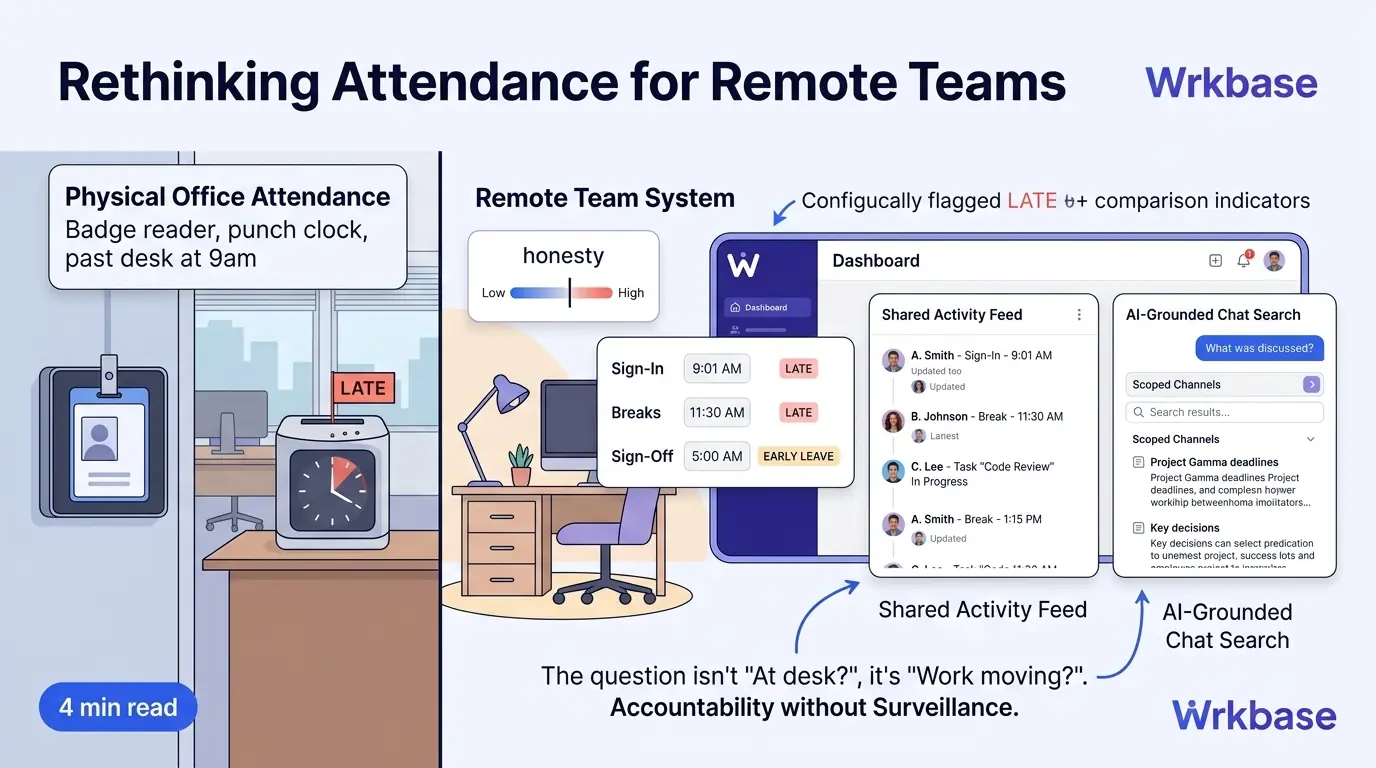
Attendance software was built around a physical office: a badge reader, a punch clock, someone walking past a desk at 9am. A remote team has none of that, so the usual instinct is to replace the badge reader with something that watches the screen instead, screenshots, keystroke counts, an activity score. That solves the wrong problem. The actual question a remote attendance system needs to answer isn't "was this person at their desk," it's "is the work moving," and those are different questions with different honest answers.
Knowing who's working, without a badge reader
Sign-in, breaks, and sign-off, without a badge to swipe
The mechanism doesn't need to be complicated, it needs to be honest. Wrkbase's attendance module checks sign-in, breaks, and sign-off against an organization's own configured office hours, the same way it would for an in-office team, just without a physical clock. Late and early-leave are flagged automatically from that comparison, not guessed at from activity data.
Visibility that doesn't require watching anyone
No screenshots, no keystroke logging, nothing running in the background collecting data about how someone works. Every status change, sign-in, a break, a task moving to In Progress, posts automatically to a shared Activity feed instead. Knowing who's working right now is a matter of glancing at that feed, not sending a "you around?" message across four time zones and waiting for a reply.
Catching up across time zones without a meeting
The other real gap on a distributed team is catching up on what happened while you were asleep. AI-grounded chat search answers a plain-language question about what was discussed, scoped to channels you can already see, so a distributed team doesn't need a synchronous standup just to stay caught up on the previous shift's work.
Time Doctor and Hubstaff, priced against what they watch
Time Doctor and Hubstaff are the two most common answers to "remote attendance software," and both are built around the screen-watching model this piece is arguing against. Time Doctor runs $8-$20/user/month on monthly billing ($6.67-$16.70 annual) across its Basic, Standard, and Premium tiers, with screenshots and activity tracking as the core feature, not an add-on.
Hubstaff starts at $7/user/month, but unlimited screenshots and activity tracking only unlock on its $12/user/month Team plan, the cheaper tiers cap how much monitoring you get. Both tools can tell you a screen was active. Neither answers the question a manager needs answered, which is whether the work is moving. A shared Activity feed built from real status changes answers that directly, without needing to watch anyone to find out.
What this replaces, and what it doesn't
This isn't a monitoring system with the surveillance parts removed, it's a different mechanism built around a different question from the start. Distributed teams don't need less accountability than co-located ones, they need one that doesn't depend on someone being able to walk past a desk. Task status and a live activity record are that mechanism.
Attendance data doesn't dead-end in a report nobody opens
The bigger reason to care how attendance connects to the rest of the system, not just whether it works on its own: those same sign-in, break, and sign-off records are what a payroll run reads directly when it's time to pay people, no separate export from an attendance report into a payroll spreadsheet, and no reconciliation step where two systems are supposed to agree but sometimes don't. A remote team's attendance record either stays a standalone log that exists to be checked, or it becomes an input the rest of the operation runs on. Only the second one is worth the effort of maintaining.
Does this work for teams that don't keep fixed hours?
Yes. Office hours are something your organization configures for itself, not a fixed 9-to-5 assumption baked into the product, so a team running flexible or asynchronous schedules sets that configuration to match, rather than being forced into a shape that doesn't fit.
Is attendance the same clock as the task-based time tracking?
No, they're deliberately separate. Attendance is the sign-in, break, and sign-off clock checked against your office hours. Time tracking is a different clock that starts automatically when a task moves to "In progress." Both feed into payroll, but they're not the same record, by design.
Free for up to 5 people
What is Wrkbase?
Employee management software for small teams: tasks, time tracking, attendance, leave, payroll and HR in one place.
Start freeFree PTO accrual calculator
See the paid time off someone earns each pay period and their balance today. No sign-up.
Summarize this post with AI

Written by Sakib Islam, founder of Wrkbase
Notes on how the product is actually built.
Next up
Payroll software with time tracking: what it really means