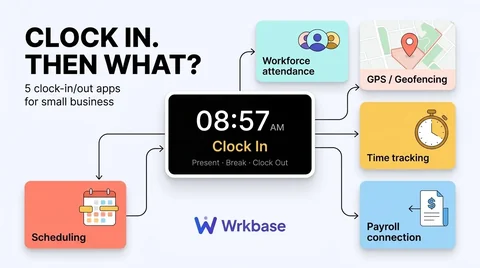
Short answer: for a field team that needs GPS clock-ins and taxes filed, pick Buddy Punch or OnTheClock with their payroll add-ons. For one shop or restaurant with a register, pick Homebase. If your books run on QuickBooks, pick QuickBooks Time. For an office or remote team that wants the daily clock and pay runs in one workspace with everything else, that is what Wrkbase does. All five count as payroll and time clock software, but they are built for different floors. Full disclosure: we build Wrkbase, and its section says what it lacks.
For the main options side by side, with prices, see the best payroll software with time tracking for small business.
Time clock plus payroll for 10 people, list price per month
What to look for before comparing prices
Three questions sort this list quickly. Where do people clock in: at a shared tablet, on their own phone in the field, or at a desk? Does the clock need to prove location? And does payroll need to calculate overtime and file taxes, or only record what each person is owed? A restaurant and a ten-person agency give opposite answers, and the tool that is perfect for one is wrong for the other.
Buddy Punch
Buddy Punch is built around the punch itself: kiosk punch-in, GPS, geofencing, and webcam photos. Plans run $4.99 to $12.99 per user per month billed annually, plus a $19 monthly base fee, and GPS and geofencing need the Pro plan or a $2 per user add-on. Payroll is a separate add-on at $8 per user plus a $49 base fee, with tax filing and direct deposit, per its pricing page in September 2026. Strongest for crews that work away from an office. We compare it with Wrkbase line by line on Wrkbase vs Buddy Punch.
OnTheClock
OnTheClock is the low-cost option with the same shape. Time tracking is $4 per employee per month plus a $5 base fee and includes scheduling, PTO, and GPS with geofencing. Payroll is $6 per paid employee plus a separate $40 base fee, per its pricing page in September 2026. For 10 people that is $45 for the clock and $100 for payroll.
Homebase
Homebase prices by location instead of by person, which suits a single shop or restaurant with many part-time staff. Its tiers were $0, $30, $70, and $120 per location per month when we checked in August 2026, with a point-of-sale integration so staff can clock in at the register. Payroll is an add-on on any tier: a $39 monthly base fee plus $6 per employee paid. Details are on Wrkbase vs Homebase. The two are compared head to head in Buddy Punch vs Homebase.
QuickBooks Time
QuickBooks Time is the pick when your accounting already lives in QuickBooks, because approved hours flow into QuickBooks Payroll with no export. It is not sold on its own: it needs a QuickBooks Online subscription, and after the July 2026 price change Premium is $20 a month plus $10 per user and Elite is $40 a month plus $12 per user.
Wrkbase
Wrkbase treats the clock as part of the working day, not a device on the wall. People sign in, take breaks, and sign off from the app, late arrivals are flagged against your office hours, and the same record feeds payroll: an hourly person's pay line is their rate times attendance hours, a salaried line is the salary. Tasks, leave, HR, and team chat sit in the same workspace. Free covers up to 5 people without payroll; Team is $8 per member per month with payroll included.
It is not a punch clock for a shop floor. There is no kiosk mode, GPS, or geofencing, no overtime rules, no tax filing, and no direct deposit. Payment goes through your bank or payroll processor and is marked paid in Wrkbase.
Picking between these
Field crews that must prove location: Buddy Punch or OnTheClock. One-location retail or hospitality with a register: Homebase. Books already in QuickBooks: QuickBooks Time. An office or remote team under 50 that wants attendance, pay runs, tasks, and HR in one place and has tax handled elsewhere: Wrkbase. Prices are as each vendor listed them on the dates above; confirm on their own pages before deciding.
What is the best payroll and time clock software for a small business with field staff?
Buddy Punch or OnTheClock. Both have GPS and geofenced clock-ins and sell a payroll add-on that files taxes. Wrkbase can require a sign-in location from a phone, but has no kiosk punch-in and does not file payroll taxes.
Is there free payroll and time clock software?
Free time clocks exist, free payroll does not. Homebase has a free Basic tier for one location and up to 10 staff, and Wrkbase is free for up to 5 people, but payroll is a paid add-on at Homebase and part of the paid Team plan at Wrkbase.
Does Wrkbase work as a time clock?
For office and remote teams, yes: people sign in, take breaks, and sign off, and late arrivals are flagged against your office hours. It is not a punch clock for a shop floor, with no kiosk mode, GPS, or geofencing.
Free for up to 5 people
What is Wrkbase?
Employee management software for small teams: tasks, time tracking, attendance, leave, payroll and HR in one place.
Start freeFree PTO accrual calculator
See the paid time off someone earns each pay period and their balance today. No sign-up.
Summarize this post with AI

Written by Sakib Islam, founder of Wrkbase
Notes on how the product is actually built.
Next up
Payroll and timekeeping software: 5 checks before you buy