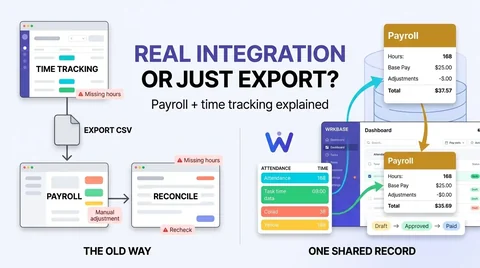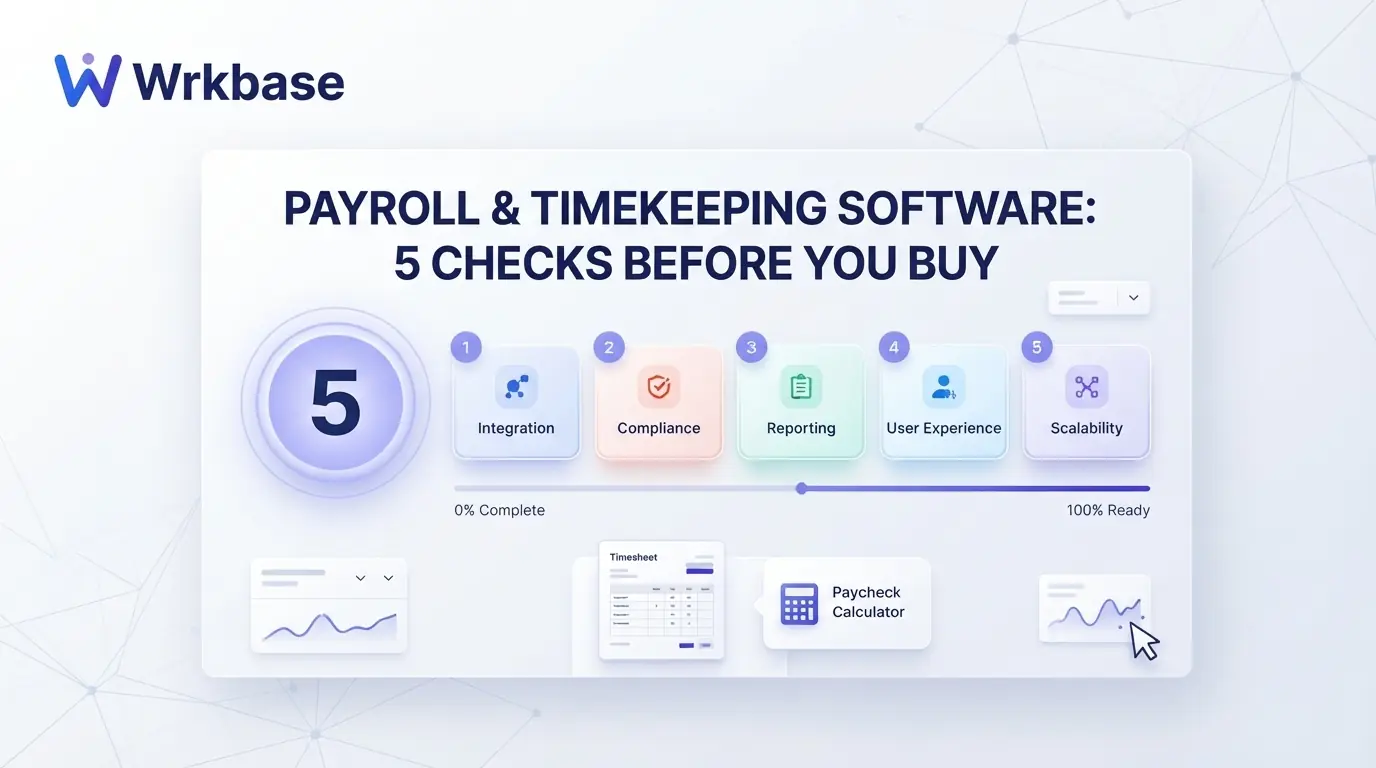
Short answer: good payroll and timekeeping software makes the hours on the timekeeping record and the hours on the payslip the same number, every period, without anyone copying them across. Before comparing brands, run the five checks below. They take ten minutes in a free trial or a demo, and they separate tools that share one record from tools that only sit next to each other. Full disclosure: we build Wrkbase, and we mark where it fails a check.
For the main options side by side, with prices, see the best payroll software with time tracking for small business.
Where a paid hour should trace back to
Check 1: where do the paid hours come from?
Ask the vendor to show a pay line and then show where its hours came from. In a joined-up tool you can get from the payslip back to the days and times behind it. If the answer involves a spreadsheet or an import screen, the two halves are separate products and someone on your team is the link between them. Timesheet to payroll software walks through the three ways that link gets made.
Check 2: are breaks handled the way you pay them?
Unpaid breaks are where totals drift. Check whether a break is recorded as its own start and stop, and whether paid hours are sign-in to sign-off minus breaks. Then check the awkward case: someone who forgot to sign off. In Wrkbase a day with no sign-off counts as zero hours on an hourly pay line until it is corrected, which is strict but visible. A tool that silently assumes eight hours is worse.
Check 3: can you correct hours before pay is final?
Mistakes are normal, so the question is when you can fix them and who sees the fix. Look for an approval step between calculating pay and marking it paid, and for a history of who changed what. In Wrkbase payroll the hours on a pay line stay editable while the run is a draft, the run is then approved, and changes are written to an audit log.
Check 4: overtime and tax
This check decides the category of tool. If hourly staff earn overtime under weekly or state rules, or you want payroll taxes filed for you, you need full-service payroll: Gusto Plus, QuickBooks Time with QuickBooks Payroll, or a time clock with a payroll add-on such as Buddy Punch or OnTheClock. Wrkbase only partly passes: it pays daily overtime at one multiplier, but applies no weekly or state rules, files no taxes, and moves no money. It records what each person is owed and leaves payment to your bank or processor. To sanity-check an overtime figure from any tool, use our free overtime calculator.
Check 5: what the second half costs
Many tools advertise the timekeeping price and sell payroll as a second line with its own base fee. On September 2026 list prices, Buddy Punch payroll adds $8 per user plus $49 a month on top of the time clock, OnTheClock adds $6 per paid employee plus $40, and Gusto includes time tracking only from Plus at $80 a month plus $12 per person. Wrkbase includes payroll tracking in its Team plan at $8 per member per month, with no base fee. Add both halves before comparing, and confirm current prices on each vendor's page.
Which tool passes which checks
Full-service tools pass checks 1 to 4 for hourly, taxed payroll and cost more on check 5. Wrkbase passes checks 1, 2, 3, and 5 for salaried teams and flat-rate hourly staff, and fails check 4. If overtime and tax filing are in scope, buy a full-service tool. If they are handled by your accountant already and you want timekeeping, pay runs, leave, and HR in one place, a tracking tool is enough.
What is the difference between timekeeping and time tracking?
Timekeeping is the attendance record: when someone started, took breaks, and stopped for the day. Time tracking usually means time logged against a task, project, or client. Pay is normally based on timekeeping; billing and planning use time tracking.
Can one tool handle both payroll and timekeeping for a small team?
Yes. Gusto Plus, QuickBooks Time with QuickBooks Payroll, Buddy Punch, and OnTheClock handle both with tax filing. Wrkbase handles both for tracking purposes, with pay runs built from attendance hours or salaries, and leaves tax filing and payment to your bank or processor.
Does Wrkbase calculate overtime?
Daily overtime, yes. Hours past a daily threshold you set are paid at your multiplier, 1.5 times by default, on an hourly pay line. It applies no weekly, double-time, or state overtime rules, files no taxes, and makes no payments.
Free for up to 5 people
What is Wrkbase?
Employee management software for small teams: tasks, time tracking, attendance, leave, payroll and HR in one place.
Start freeFree PTO accrual calculator
See the paid time off someone earns each pay period and their balance today. No sign-up.
Summarize this post with AI

Written by Sakib Islam, founder of Wrkbase
Notes on how the product is actually built.
Next up
Buddy Punch vs Homebase: pricing and features compared