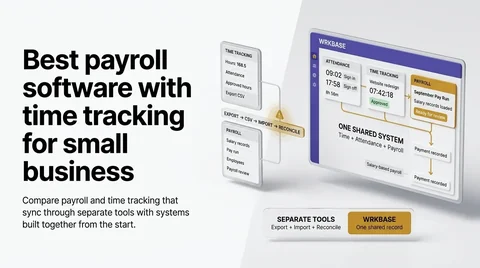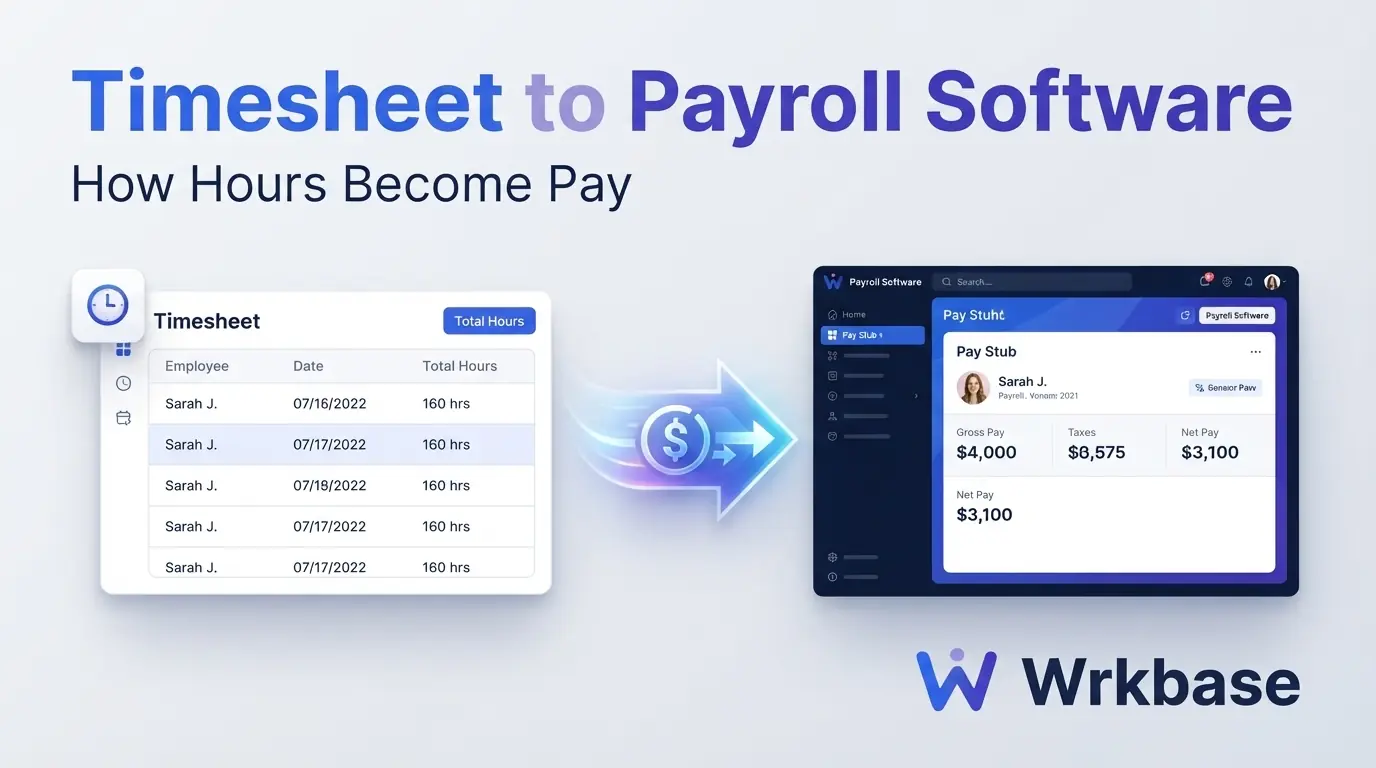
Short answer: timesheet to payroll software does one job, which is getting the hours people worked into the pay calculation without anyone typing them twice. Tools do it in three ways: an export file, a sync between two products, or one record that holds both. The right one depends on whether your team is paid by the hour and whether you need taxes filed. Full disclosure: we build Wrkbase, so its part says plainly what it does not do.
Three ways hours reach payroll
Way 1: export the timesheet, import it into payroll
This is the oldest handoff and still the most common. The time tracker produces a file at the end of the period, and someone uploads it to the payroll tool. It works with almost any pair of products, which is why it survives. The cost is the step itself: a person has to do it every period, names have to match in both systems, and a late correction means doing it again.
If you are on this path today, the question to ask is how often the two totals disagree. Once a quarter is tolerable. Every pay period means the handoff is costing you more than a different tool would.
Way 2: two products that sync
Here the time clock and the payroll run are separate products, often from the same vendor, and approved hours flow across without a file. QuickBooks Time into QuickBooks Payroll is the clearest case, because Intuit owns both. Buddy Punch and OnTheClock each sell a time clock with their own payroll add-on, and Gusto includes time tracking from its Plus plan up.
These are the tools to pick when hours have to become a taxed paycheck. They calculate hourly pay, file payroll taxes, and pay by direct deposit. You pay for two things, though: on September 2026 list prices, OnTheClock is $4 per employee plus a $5 base for time, then $6 per paid employee plus a $40 base for payroll. Buddy Punch is $4.99 to $12.99 per user plus a $19 base, then $8 per user plus a $49 base for payroll.
Way 3: hours and pay on one record
The third way removes the handoff. Attendance and pay live on the same employee record, so the pay run reads the hours directly. This is how Wrkbase payroll works: for an hourly person, the pay line is their rate times the hours they were signed in for attendance in the period, and the hours stay visible and editable on that line while the run is a draft. Salaried lines come from the salary. Both take bonuses, commission, and deductions, then go through an approval step and produce payslips.
What it does not do matters just as much. Wrkbase applies daily overtime at one multiplier but no weekly or state overtime rules, it does not file taxes, and it does not move money. Its weekly timesheets fill in from the attendance clock and are approved by a manager before they reach a pay run. Payment goes through your bank or payroll processor and is marked paid in Wrkbase. If you need taxes filed from hourly timesheets, way 2 is the honest answer.
What each way costs for 10 people
Using each vendor's own list prices from September 2026, for a team of 10: Wrkbase Team is $8 per member, so $80 a month, with attendance, time tracking, leave, HR, and payroll tracking included. OnTheClock is $45 for time plus $100 for payroll, so $145. Buddy Punch on its lowest plan is $68.90 for time plus $129 for payroll, so $197.90. Gusto Plus is $80 plus $12 per person, so $200. The three higher figures include tax filing and direct deposit; the Wrkbase figure does not. Confirm current prices on each vendor's page before deciding.
How to choose
Start with how people are paid. Hourly staff with weekly or state overtime rules and tax filing in scope: pick a synced pair from way 2. A salaried team, or hourly staff with simple daily overtime where your accountant or processor already handles tax: one record is simpler and cheaper, and it is what Wrkbase is built for. Whichever you pick, check your own totals for one period by hand first. Our free time card calculator adds up a week of hours and breaks, which makes a quick reference figure. For teams that punch in at a clock, see payroll and time clock software.
What is timesheet to payroll software?
Software that carries the hours a person worked into the pay calculation for the period, so nobody retypes them. Some tools do it with an export file, some sync two products, and some keep hours and pay on one employee record.
Does Wrkbase have timesheet approval?
Yes, on Team and Enterprise. Each week's timesheet fills in from attendance sign-in and sign-off, a person can correct a day by giving a reason, and a manager approves the week or sends it back. Approved hours, with daily overtime split out, are what an hourly pay line pays.
What is the cheapest way to get timesheets into payroll for 10 people?
On September 2026 list prices: Wrkbase Team is $80 a month and tracks payroll but does not file taxes. With tax filing, OnTheClock with its payroll add-on is $145 a month, Buddy Punch with payroll is $197.90, and Gusto Plus is $200.
Free for up to 5 people
What is Wrkbase?
Employee management software for small teams: tasks, time tracking, attendance, leave, payroll and HR in one place.
Start freeFree PTO accrual calculator
See the paid time off someone earns each pay period and their balance today. No sign-up.
Summarize this post with AI

Written by Sakib Islam, founder of Wrkbase
Notes on how the product is actually built.
Next up
Payroll and time clock software for small business