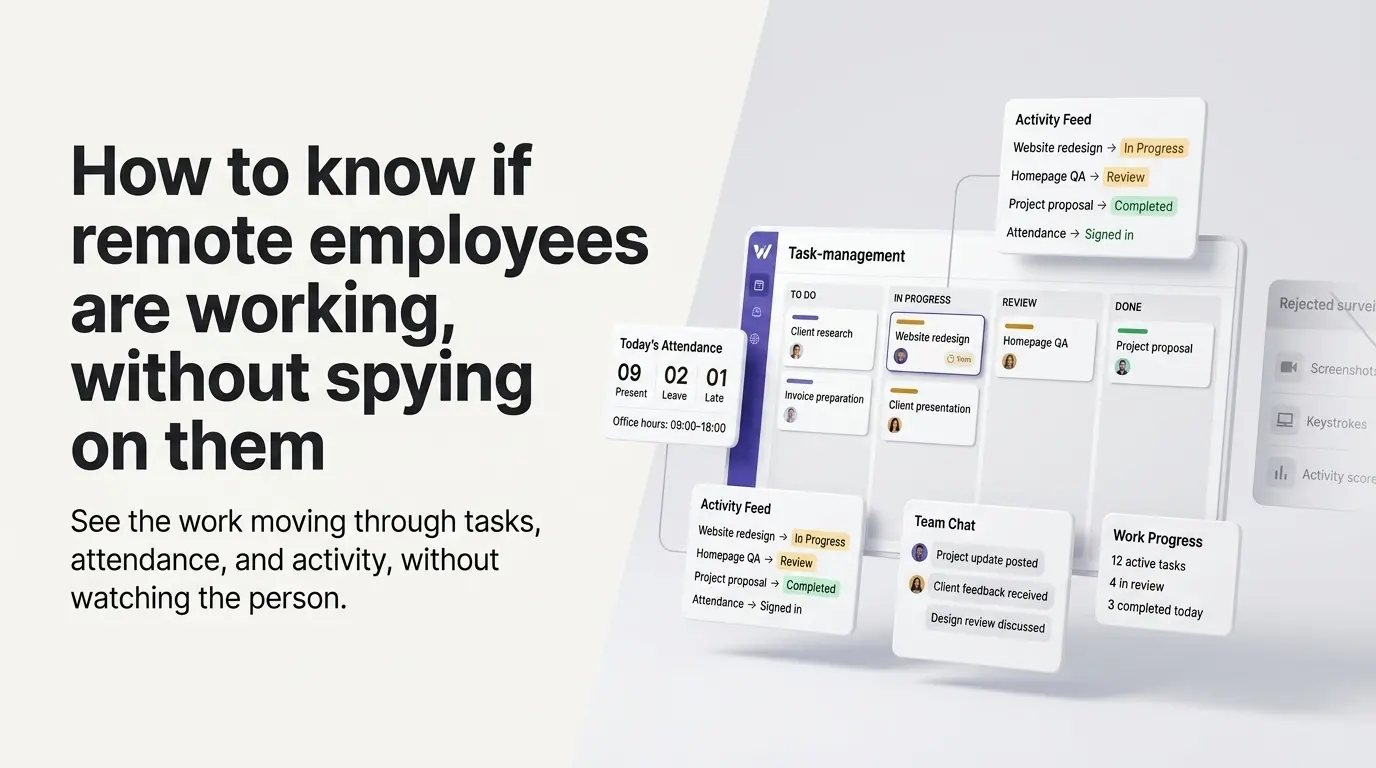
The honest answer to "how do I know if a remote employee is working" isn't a monitoring tool, it's making the work itself visible: a task's status changing, a shared record of sign-ins and sign-offs, attendance checked against real office hours. None of that requires watching the person, only the work.
The real question isn't hours, it's whether work is moving
"Are they working right now" is the wrong-shaped question for a distributed team, because it assumes visibility has to be synchronous, someone checking a screen at this exact moment. The question that matters is whether work is moving: is a task's status changing, is attendance being logged against real hours, can anyone see that without asking.
Four ways to see the work without watching the person
A task moving to "In progress" is the same event that starts its timer, tied to the status change itself, not a location or a badge reader. Watch the board, not the person, and the same signal works identically whether someone's in an office or four time zones away.
Sign-ins, breaks, and sign-offs post automatically to a shared Activity feed, so a manager never has to ask who's online today, the record exists whether or not anyone goes looking for it.
Attendance is checked against your organization's own configured office hours, not GPS or a location check, with a grace period so a late clock-in by a minute isn't flagged as late. Late and early-leave get computed automatically from that comparison.
A searchable chat history answers "what happened while I was asleep" without a synchronous status meeting across time zones, the record is already there, the same way task status and attendance are.
What this replaces
The usual answer to this exact question is monitoring software, screenshots, keystroke logs, an activity-percentage score, and be clear about the real cost of that approach before recommending it. 42% of workers call employee monitoring unethical, and over half would consider quitting over it (ExpressVPN workplace surveillance research). The instinct is understandable, distance makes not-knowing feel worse, but it's the wrong tool for the actual question, which is whether the work is moving, not whether someone's mouse did.
Status-based visibility answers the same underlying worry without installing anything on anyone's computer: nothing is captured that needs separate disclosure, because nothing beyond task status, attendance, and chat activity a person was already generating by working gets recorded in the first place.
Signs a remote employee isn't working
Task-completion rate stalling over multiple days with no explanation. A task sitting untouched well past its due date. Sign-in and sign-off times consistently drifting outside configured office hours with no adjustment requested. Extended silence in a channel where the record shows other people active and responding. None of these require watching a screen, they're visible directly from the same status and attendance record everyone already generates just by working.
Are my remote employees working right now?
Check whether tasks are moving through status changes and whether attendance is logged against today's office hours, both visible on the shared Activity feed without asking anyone directly. If both are quiet for an extended stretch during working hours with no context, that's the actual signal worth a conversation, not a guess from a monitoring dashboard.
Does this require installing anything on an employee's computer?
No. Task status, attendance sign-in and sign-off, and chat activity are all things people generate just by doing their actual work inside the same system, not a background process watching their screen.
Does this work across time zones?
Yes, deliberately. Status changes, attendance, and the activity feed post the same way regardless of when or where someone's working, so a four-time-zone team gets the same visibility a single-office team does, no synchronous check-in required.
Is this legal, or does it need employee consent?
It's a simpler question here than with monitoring software specifically because nothing beyond task status, attendance timestamps, and chat activity someone already generated by working gets recorded, there's no screen capture or keystroke log requiring separate disclosure. This isn't legal advice, consult your own jurisdiction's employment counsel for anything workplace-monitoring-adjacent.
What if someone is online but not getting anything done?
That shows up as the same signal described above: attendance logged, but task status not moving and completion rate stalling. Being signed in isn't the thing being measured, whether work is advancing is, a distinction status-based visibility makes and a simple online-or-offline indicator doesn't.
Questions this post answers
Are my remote employees working right now?
Check whether tasks are moving through status changes and whether attendance is logged against today's office hours, both visible on the shared Activity feed without asking anyone directly. If both are quiet for an extended stretch during working hours with no context, that's the actual signal worth a conversation, not a guess from a monitoring dashboard.
Does this require installing anything on an employee's computer?
No. Task status, attendance sign-in and sign-off, and chat activity are all things people generate just by doing their actual work inside the same system, not a background process watching their screen.
Does this work across time zones?
Yes, deliberately. Status changes, attendance, and the activity feed post the same way regardless of when or where someone's working, so a four-time-zone team gets the same visibility a single-office team does, no synchronous check-in required.
Is this legal, or does it need employee consent?
It's a simpler question here than with monitoring software specifically because nothing beyond task status, attendance timestamps, and chat activity someone already generated by working gets recorded, there's no screen capture or keystroke log requiring separate disclosure. This isn't legal advice, consult your own jurisdiction's employment counsel for anything workplace-monitoring-adjacent.
What if someone is online but not getting anything done?
That shows up as the same signal described above: attendance logged, but task status not moving and completion rate stalling. Being signed in isn't the thing being measured, whether work is advancing is, a distinction status-based visibility makes and a simple online-or-offline indicator doesn't.
Employee management software for small teams: tasks, time tracking, attendance, leave, payroll and HR in one place.
Start freeSee the paid time off someone earns each pay period and their balance today. No sign-up.
Open the calculator